
Filter by brands
 ESRESR 1


ESR Protector Set for Samsung Galaxy S23 Ultra – Clear (2-Pack)
Original price was: ৳ 1,990.৳ 990Current price is: ৳ 990.- High-Durability Tempered Glass: Engineered to withstand heavy impact forces and everyday surface scratches.
- Ultra-Clear Transparency: Maintains high definition and original pixel brightness without compromising visual quality.
- Fingerprint & Touch Compatibility: Specially optimized to work smoothly with the Galaxy S23 Ultra’s in-display ultrasonic fingerprint scanner and retain full touch sensitivity.
- Case-Friendly Fit: Precision-engineered with slightly shaved margins to ensure compatibility with most protective phone cases without lifting or bubbling.
- Easy Installation Kit: Typically includes an alignment frame/jig and a cleaning kit to help achieve a bubble-free, precise application at home.
Samsung Glass Protector in Bangladesh – Tempered Glass Screen & Camera Protection
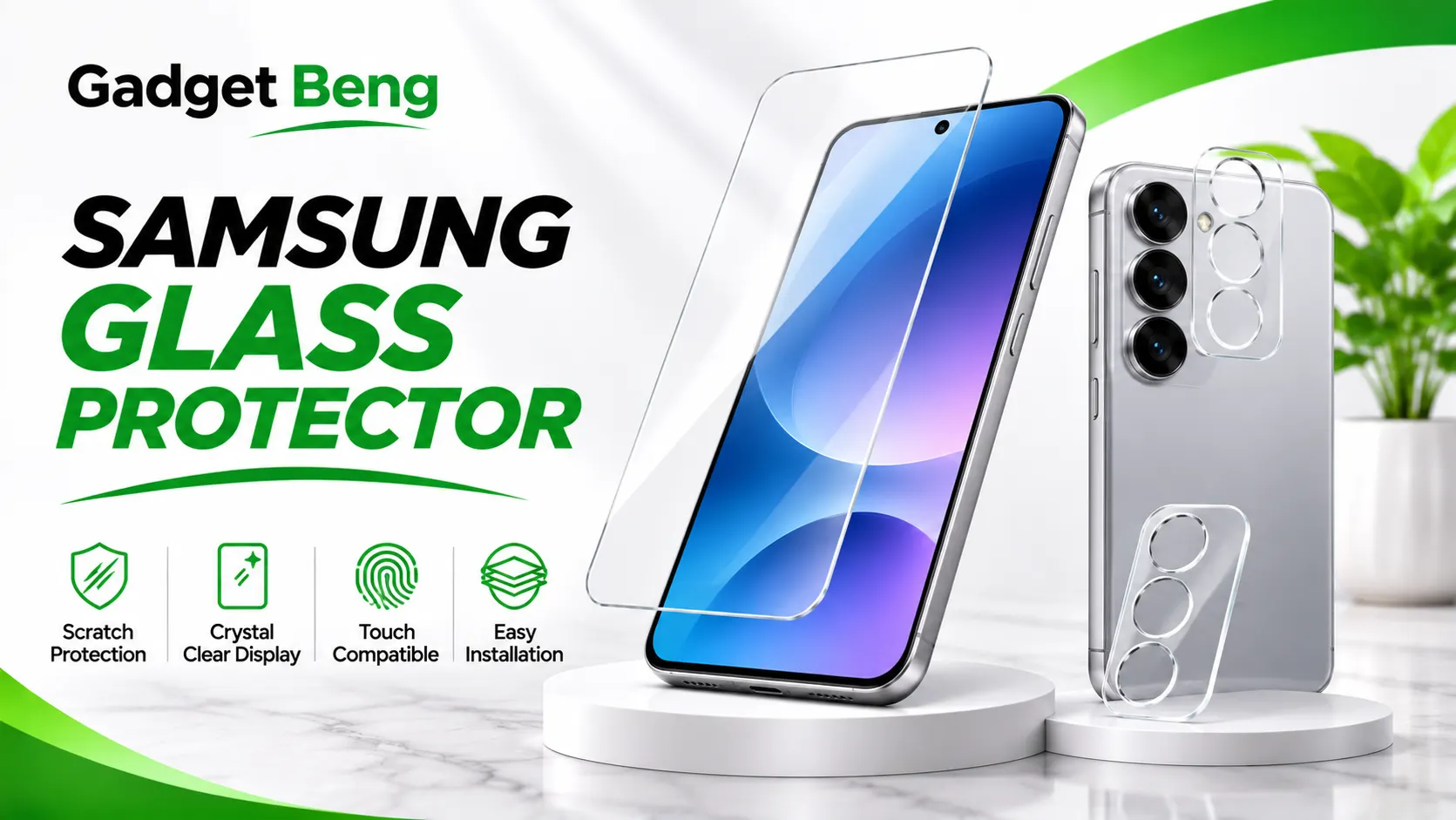
Protect your Samsung smartphone display from everyday scratches, scuffs, fingerprints, and accidental surface contact with a suitable tempered glass protector. A quality screen protector adds an extra protective layer while helping maintain the original viewing experience and touch responsiveness of your phone.
At GadgetBeng, explore Samsung glass protection accessories, including clear tempered glass, screen protectors, camera-lens protectors, oleophobic-coated glass, and easy-installation protector sets designed for compatible Samsung smartphones.
Samsung Glass Protector – Screen Protection Guide
A Samsung glass protector is an additional protective layer fitted over a compatible smartphone display. Tempered glass helps reduce the risk of everyday scratches and surface wear caused by contact with keys, dust, bags, desks, and other common objects.
A suitable protector should match the exact phone’s display dimensions, edges, sensors, and fingerprint technology. Different Samsung smartphones can have different screen shapes and camera layouts, so compatibility should always be checked before purchasing.
At Gadget Beng, you can explore clear glass protection and combined screen-and-camera protection options. Look for features such as transparent glass, an oleophobic surface coating, case-friendly edges, and an alignment frame for easier installation.
Types of Samsung Glass Protection
Tempered Glass Screen Protector
Tempered glass provides a protective layer over the smartphone display. It is designed to help resist common scratches and surface contact while preserving a clear viewing experience.
Clear HD Glass Protector
Clear glass is designed to maintain the display’s natural appearance, brightness, and colour reproduction. It is a practical choice for users who prefer transparent screen protection rather than a privacy or matte finish.
Camera Lens Protector
Camera-lens protection adds a transparent protective layer over compatible rear camera areas. It helps reduce everyday surface scratches and contact marks while keeping the camera area covered.
Screen and Camera Protector Set
A combined protector set includes screen protection along with camera-lens protection. It is useful for users who want to protect both the display and rear camera areas with accessories designed to work together.
Important Features of a Quality Samsung Glass Protector
Tempered Glass Protection
Tempered glass is designed to provide an additional surface layer against everyday scratches and minor contact. It can help protect the original display surface from routine wear, although it cannot guarantee that the screen will remain undamaged during every drop or impact.
9H Hardness Rating
Some tempered glass protectors advertise a 9H hardness rating. This is a pencil-hardness rating associated with resistance to surface scratching. It does not mean the glass is impossible to scratch or break, and it should not be interpreted as a guarantee against impact damage.
Ultra-Clear Transparency
A clear protector is designed to preserve the original display appearance and viewing clarity. It allows users to browse, watch videos, read, and use apps without an opaque protective layer covering the screen.
Oleophobic Coating
An oleophobic coating helps reduce oily fingerprint marks and smudges on the glass surface. It also makes routine screen cleaning easier with a suitable microfiber cloth.
Touch Sensitivity
A properly fitted glass protector should allow normal touchscreen interaction. However, compatibility can vary with display technology, glass thickness, installation quality, and the phone’s fingerprint sensor.
Fingerprint Scanner Compatibility
Some Samsung smartphones use in-display fingerprint sensors, including ultrasonic technology. A protector should be specifically compatible with the device’s fingerprint system. After installation, follow the phone manufacturer’s instructions for fingerprint registration and sensitivity settings where available.
Case-Friendly Design
A case-friendly protector is designed with suitable edge clearance so that many protective phone cases can fit without lifting the glass. Actual compatibility depends on the protector shape and the case’s edge design.
Easy Installation Accessories
Some protector sets include an alignment frame, cleaning cloth, dust-removal stickers, and other installation accessories. These tools can help position the glass accurately and reduce the chance of trapped dust or air bubbles.
Clear Tempered Glass with Camera Lens Protection
A clear tempered-glass protector set can provide additional protection for both a compatible Samsung smartphone display and its rear camera lens areas. The combination is useful for users who want to protect the phone’s front and rear glass surfaces without changing its original appearance.
Protection Features
- Clear tempered-glass screen protection.
- Additional camera-lens protection for compatible devices.
- Listed 9H pencil-hardness rating for the screen glass.
- Listed 0.30mm screen-glass thickness.
- Oleophobic surface coating to help reduce oily fingerprint marks.
- Transparent finish designed to maintain display clarity.
- Case-friendly fit for many compatible phone cases.
- Alignment frame and cleaning accessories described in the product listing.
- Multi-piece protector set format.
Screen Protection for Everyday Use
The screen protector creates an additional layer over the original display. It helps reduce direct contact between the screen surface and common sources of scratches, including dust, keys, and everyday objects carried in pockets or bags.
Camera Lens Protection
Camera-lens glass protectors help reduce surface scratches caused by placing a phone on tables or carrying it with other belongings. Clean the camera area carefully before installation and align the protector with the lens openings. Keep the flash area unobstructed.
Clear Viewing Experience
Transparent glass is intended to preserve the natural appearance of the display. Correct installation is important because dust, trapped air, fingerprints, or poor alignment can affect the viewing experience.
Compatibility Reminder
Screen protectors are not universally compatible with all Samsung smartphones. Always select the exact compatible device option shown on the product page before ordering. Do not assume that a protector designed for one phone will fit another phone in the same family or series.
How to Choose the Right Samsung Screen Protector
Selecting a suitable screen protector requires more than checking its appearance. Consider the display shape, fingerprint technology, camera layout, case compatibility, and installation method before purchasing.
1. Confirm Exact Device Compatibility
Check your phone’s exact device name and model number in the phone settings or original packaging. Compare this information with the compatibility details on the protector product page. A small difference in display dimensions or camera placement can make a protector unsuitable.
2. Choose the Right Glass Type
Choose clear tempered glass if you want transparent everyday display protection. Other finishes, such as matte or privacy glass, have different viewing characteristics and should be selected according to your preferences.
3. Check Fingerprint Compatibility
If your Samsung smartphone uses an in-display fingerprint scanner, confirm that the protector supports that fingerprint technology. A glass protector that is not designed for the scanner may affect fingerprint recognition.
4. Consider Camera Protection
If you also want protection for the rear camera area, consider a compatible combined screen and camera-lens protector set. Check that the camera protector does not cover the flash or interfere with the camera system.
5. Check Case Compatibility
If you use a phone case, choose a protector described as case-friendly. Check that the edges of the case do not press against the glass after installation, as pressure can cause lifting.
6. Review Installation Accessories
An alignment frame, microfiber cloth, dust-removal stickers, and cleaning wipes can make installation easier. These accessories are particularly helpful for users installing a screen protector for the first time.
7. Check Product Details Before Ordering
Review the product description, included accessories, glass finish, protection areas, compatibility information, and warranty terms where applicable. If you are unsure about compatibility, contact the seller before placing an order.
How to Install a Samsung Tempered Glass Protector
Correct installation helps reduce trapped dust, visible air bubbles, and alignment problems. Follow the instructions supplied with your protector because the installation method can vary between products.
Step 1: Prepare a Clean Workspace
Choose a clean, well-lit area with minimal dust. Wash and dry your hands before handling the protector and phone.
Step 2: Clean the Display
Use the supplied cleaning wipes or suitable cleaning accessories to remove fingerprints, oil, and dust from the display. Finish with a clean microfiber cloth.
Step 3: Remove Remaining Dust
Use the supplied dust-removal sticker to pick up small particles from the screen. Check the entire display carefully before applying the glass.
Step 4: Align the Protector
If an alignment frame is included, position it according to the supplied instructions. Check the speaker, camera, sensor, and edge alignment before placing the protector.
Step 5: Apply the Glass
Remove the protective backing and carefully lower the glass onto the display. Avoid touching the adhesive surface. Allow the glass to settle according to the installation instructions.
Step 6: Remove Air Bubbles
Use a suitable soft applicator or microfiber cloth to guide visible air bubbles toward the nearest edge. Do not apply excessive pressure or bend the glass.
Step 7: Install Camera Protectors
If the package includes camera-lens protectors, clean the rear camera area and align each piece carefully. Make sure the flash and camera openings remain unobstructed.
Step 8: Check the Final Result
Check the screen edges, camera area, touchscreen response, fingerprint scanner, and phone-case fit after installation. Follow the phone manufacturer’s instructions if fingerprint registration or sensitivity settings need adjustment.
Screen Protector Care and Maintenance Tips
Clean with a Microfiber Cloth
Use a clean, soft microfiber cloth to remove fingerprints and everyday smudges. Avoid rough fabrics, paper towels, or abrasive materials that may scratch the surface coating.
Avoid Excessive Pressure
Do not press hard on the glass or attempt to bend it. Tempered glass can crack under concentrated pressure or impact.
Check the Edges Regularly
Inspect the edges for lifting, dust, or cracks. If the protector becomes damaged, replace it carefully rather than continuing to use loose or broken glass.
Keep Camera Areas Clean
Use a soft microfiber cloth to clean the camera protector. Check that no dust or fingerprints remain around the lens openings and flash area.
Use a Compatible Phone Case
Choose a case that does not press against the edges of the screen protector. If the glass begins lifting after fitting a case, check compatibility and reposition or replace the accessories as needed.
Screen Protector Types – Comparison Guide
Different glass protector types offer different viewing and protection characteristics. Compare the options to find a suitable accessory for your usage requirements.
| Protector Type | Main Benefit | Best For |
|---|---|---|
| Clear Tempered Glass | Transparent everyday display protection | Users who prefer natural screen appearance |
| Oleophobic Glass | Helps reduce oily fingerprint marks | Frequent touchscreen users |
| Matte Glass | Reduces reflections and glare | Users who prefer a matte surface |
| Privacy Glass | Limits side-angle screen visibility | Users who want additional viewing privacy |
| Screen and Camera Protector Set | Combined display and camera-lens coverage | Users who want front and rear glass protection |
Note: The availability and compatibility of each protector type depend on the exact device and product listing.
Frequently Asked Questions About Samsung Glass Protectors
1. Why should I use a Samsung glass protector?
A glass protector adds an extra layer over the display to help reduce everyday scratches, scuffs, and surface contact. It can help preserve the original screen surface during regular use.
2. What is tempered glass?
Tempered glass is specially processed glass designed for improved strength compared with ordinary glass. It is commonly used as an additional protective layer for smartphone displays.
3. What does 9H hardness mean?
9H refers to a pencil-hardness rating used to describe resistance to surface scratching. It does not mean the protector cannot crack, break, or become scratched under every condition.
4. Does clear tempered glass affect screen quality?
Clear glass is designed to preserve the original display appearance. Actual viewing quality can depend on glass quality, cleanliness, coating, and installation accuracy.
5. What is an oleophobic coating?
An oleophobic coating helps reduce oily fingerprints and smudges on the glass surface. It also makes routine cleaning easier.
6. Can a screen protector support an in-display fingerprint scanner?
Some protectors are designed to work with in-display fingerprint technology. Always confirm compatibility with the exact phone and its fingerprint sensor type before purchasing.
7. Can I use a phone case with a glass protector?
Many glass protectors are designed to be case-friendly. However, compatibility depends on the dimensions and edge design of the case. Check for edge lifting after installation.
8. Does a glass protector also protect the camera?
A regular screen protector covers the display only. A combined screen-and-camera protector set includes additional protection for compatible rear camera lens areas.
9. Can a tempered glass protector prevent screen breakage?
No protector can guarantee that a phone display will never break. Tempered glass can provide an additional layer against everyday scratches and some surface impacts, but the original display may still be damaged during a fall or strong impact.
10. How do I install a glass protector without bubbles?
Clean the display carefully, remove dust, use the alignment frame if supplied, and apply the glass slowly. Follow the product instructions and gently guide remaining air bubbles toward the edges.
11. Can I reuse a tempered glass protector?
Reusing a removed glass protector is generally not recommended. Dust and damage to the adhesive layer can affect its fit and may create bubbles or lifting.
12. How do I choose the correct Samsung glass protector?
Check the exact phone model, display dimensions, fingerprint technology, camera layout, and case compatibility. Always match the product’s compatibility information before ordering.
13. Where can I buy Samsung glass protectors in Bangladesh?
You can explore available Samsung glass protection accessories through the Gadget Beng Samsung Glass Protector category and its individual product page.
Why Shop Samsung Glass Protectors at Gadget Beng?
Gadget Beng offers smartphone accessories and everyday protection solutions for customers in Bangladesh. Explore compatible glass protectors and screen-care accessories designed to help maintain your phone’s display and camera surfaces.
- Explore smartphone screen-protection accessories.
- Find clear tempered-glass protection options.
- Discover combined screen and camera-lens protection sets.
- Review product descriptions and compatibility details.
- Contact Gadget Beng for product and order assistance.
For product information and order support, call or WhatsApp +880 1864-849473.
Samsung Glass Protector in Bangladesh – Clear Tempered Glass and Camera Protection
A Samsung glass protector is a useful smartphone accessory for users who want additional protection for their phone display. A suitable tempered glass screen protector can help reduce everyday scratches, fingerprints, and surface wear while maintaining a clear viewing experience.
When choosing a Samsung screen protector in Bangladesh, compatibility is one of the most important considerations. Display dimensions, curved edges, fingerprint technology, front sensors, and camera placement can differ between Samsung smartphones. Always choose a protector designed for your exact device.
A clear tempered glass protector with an oleophobic coating is a practical option for users who prefer a transparent finish and easier fingerprint cleaning. Some protection sets also include camera-lens glass, an alignment frame, and cleaning accessories for convenient installation.
If you are searching for a Samsung tempered glass protector, Samsung camera lens protector, or Samsung glass protector in BD, explore the available options at Gadget Beng. Review the product compatibility, protection features, and package contents before placing your order.
SMART GADGETS • TECHNOLOGY • ACCESSORIES
Explore Samsung Glass Protectors, Tempered Glass & Camera Protection Accessories in Bangladesh.
Call / WhatsApp: +880 1864-849473
Copyright © 2026 Gadget Beng. All Rights Reserved.


