
Screen Protector Price in Bangladesh – Tempered Glass, Privacy Glass & Hydrogel Film
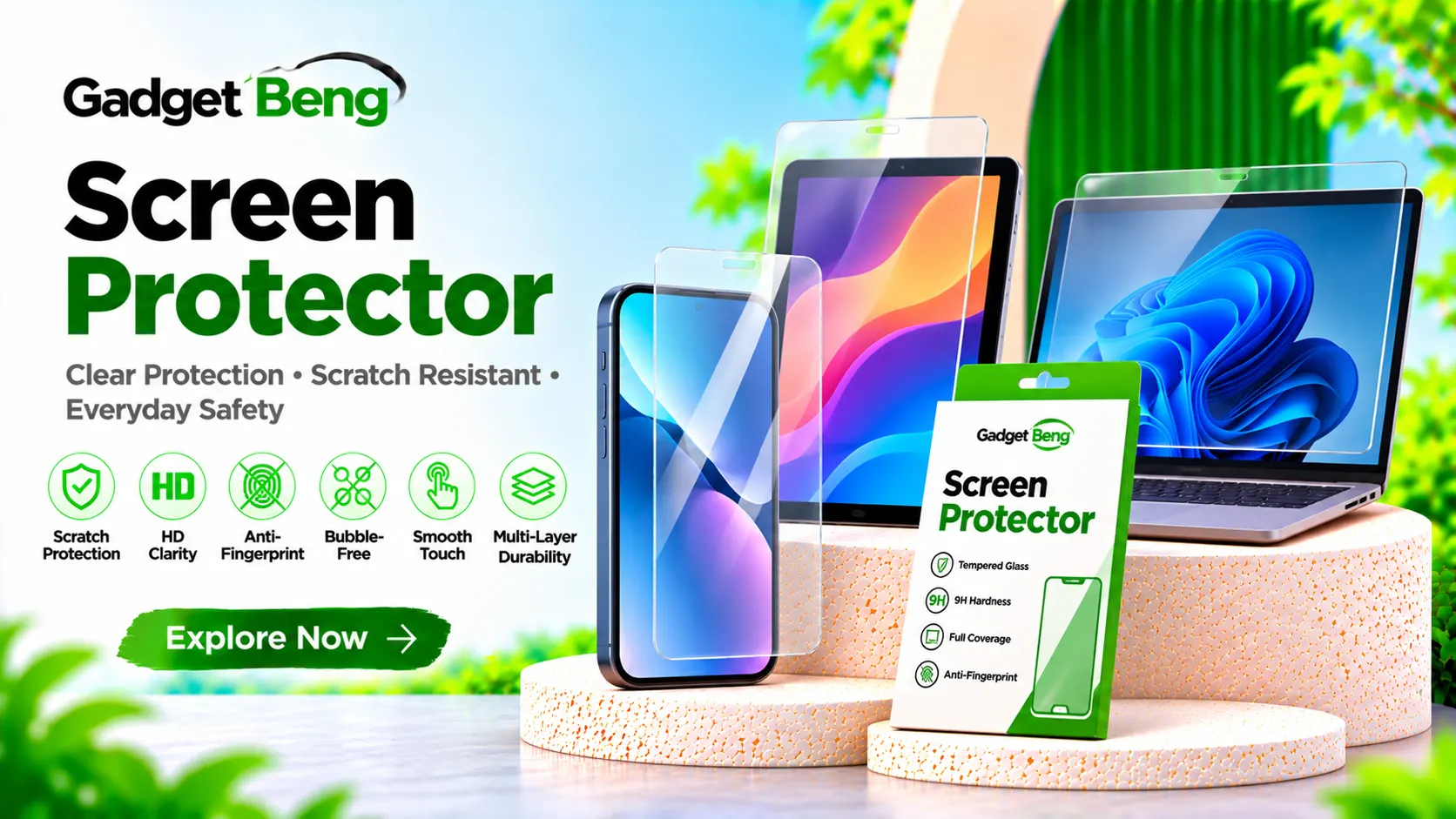
Protect your smartphone display from everyday scratches, minor impacts, dust, and accidental contact with a suitable screen protector. Whether you need tempered glass for everyday protection, privacy glass for added screen privacy, or a flexible hydrogel film for a curved display, choosing the right screen protector helps maintain your phone’s display condition.
At GadgetBeng, explore screen protection solutions for different smartphones and devices. Compare material, thickness, clarity, touch sensitivity, coverage, installation method, and compatibility before choosing a suitable protector.
Screen Protector Price in Bangladesh
Mobile Screen Protector Price in BD
The screen protector price in Bangladesh depends on the material, glass quality, thickness, coating, device compatibility, coverage, and additional features. Basic screen films, tempered glass protectors, privacy glass, and premium full-coverage protectors can have different price ranges.
Before purchasing, compare display clarity, touch sensitivity, scratch resistance, edge coverage, fingerprint compatibility, and installation accessories. Always select a protector designed for your exact smartphone model.
Screen Protector Feature Comparison
| Protector Type | Main Feature | Suitable For |
|---|---|---|
| Tempered Glass | Rigid glass protection | Everyday screen protection |
| Privacy Glass | Restricted side viewing | Added screen privacy |
| Matte Protector | Reduced reflections | Bright environments and stylus use |
| Hydrogel Film | Flexible film construction | Curved and selected displays |
| Camera Lens Protector | Camera lens coverage | Rear camera protection |
Note: Product prices depend on the exact model, material, and availability. Check the live GadgetBeng product listing for current prices, discounts, and stock.
Different Types of Screen Protectors
Explore Different Screen Protection Options
Screen protectors are available in different materials and finishes. Each type offers a different combination of protection, visibility, touch experience, and installation characteristics.
Tempered Glass Screen Protector
Tempered glass protectors are made from specially processed glass and are designed to help protect smartphone displays from scratches and everyday contact. They are available in different thicknesses, edge designs, and coverage options.
Full Glue Tempered Glass
Full glue tempered glass uses adhesive across the main glass surface to help provide consistent attachment. Check the adhesive design and compatibility with your phone’s display before purchasing.
Privacy Screen Protector
Privacy glass is designed to limit side-angle visibility, helping reduce the chance of nearby people viewing your screen. Privacy filters may also reduce screen brightness, so consider your viewing preferences.
Matte Screen Protector
Matte protectors use a surface finish designed to reduce reflections and fingerprints. They can provide a different touch feel but may slightly affect display sharpness and clarity.
Hydrogel Screen Protector
Hydrogel protectors are flexible film-based screen protection products. Their flexible construction can make them suitable for selected curved displays and devices where rigid glass installation is difficult.
Anti-Glare Screen Protector
Anti-glare protectors are designed to reduce reflections from surrounding light. They can be useful in bright environments and outdoor settings, depending on the coating and finish.
Camera Lens Protector
Camera lens protectors cover selected rear camera lenses to help protect them from scratches and everyday contact. Check camera cutouts and compatibility to avoid interfering with photography.
Full Coverage Screen Protector
Full coverage protectors are designed to cover a larger portion of the front display, including selected edge areas. Confirm case compatibility and the exact display dimensions before purchasing.
Popular Screen Protector Features
- Scratch-resistant surface
- Tempered glass construction on selected models
- Full glue adhesive design on selected models
- Privacy viewing technology
- Anti-fingerprint oleophobic coating
- Anti-glare matte finish
- High-transparency display finish
- Full-screen coverage options
- Curved-edge compatibility on selected models
- Fingerprint sensor compatibility on selected models
- Camera lens protection options
- Installation accessories on selected products
Tempered Glass, Hydrogel & Screen Protection Materials
Understand Screen Protector Materials
Screen protector materials influence rigidity, flexibility, clarity, touch response, and installation. Understanding the differences helps you select a protector suited to your device and everyday usage.
Tempered Glass Construction
Tempered glass is processed to improve its strength compared with ordinary glass. It provides a rigid protective layer over the display and can help reduce scratches and damage from some everyday impacts. It does not make a phone screen unbreakable.
9H Hardness Rating
Some screen protectors advertise a 9H hardness rating. This is commonly used as a surface scratch-resistance marketing specification. It should not be interpreted as a guarantee against every type of scratch or impact.
Hydrogel Film Construction
Hydrogel films use flexible material that can conform to selected curved display surfaces. They offer a different feel and installation process compared with rigid tempered glass.
Oleophobic Coating
An oleophobic coating is designed to reduce visible oil and fingerprint marks and make the display easier to wipe clean. Coating performance can vary between products and may wear with use.
Display Transparency
Clear screen protectors are designed to preserve display visibility and colour appearance. Check transparency and coating details if display quality is a priority.
Touch Sensitivity
A compatible protector should allow normal touchscreen operation. Thickness, adhesive quality, and device compatibility can influence touch response.
Screen Protector Material Comparison
| Material | Construction | Main Consideration |
|---|---|---|
| Tempered Glass | Rigid glass | Everyday scratch and impact protection |
| Hydrogel | Flexible film | Curved display compatibility |
| Matte Film | Textured film surface | Reduced reflections |
| Privacy Glass | Privacy-filter glass | Side-angle viewing privacy |
Screen Protector Compatibility for iPhone, Samsung, Xiaomi & More
Choose the Correct Protector for Your Device
Screen protectors are designed around specific display dimensions, camera cutouts, speaker openings, and sensor positions. Always confirm your exact device model before ordering a screen protector.
iPhone Screen Protector
Choose an iPhone screen protector according to the exact iPhone generation and model. Different models may have different display dimensions, notch or Dynamic Island layouts, and edge designs.
Samsung Screen Protector
Samsung screen protectors are available for different Galaxy series and display types. Check compatibility with the exact Galaxy model, especially for curved displays and under-display fingerprint sensors.
Xiaomi, Redmi & POCO Screen Protector
Xiaomi, Redmi, and POCO devices have different display sizes and camera cutouts. Match the protector to the exact model rather than relying only on the brand name or series.
OnePlus Screen Protector
Choose a OnePlus protector based on the exact model and display design. Check edge coverage, touch sensitivity, and fingerprint sensor compatibility where applicable.
Google Pixel Screen Protector
Google Pixel screen protectors should match the exact Pixel generation and screen dimensions. Review camera and sensor cutouts before purchasing.
iPad and Tablet Screen Protector
Tablet protectors are available in clear, matte, and paper-like finishes. Check screen dimensions, camera openings, and stylus compatibility for the exact device.
Smartwatch Screen Protector
Smartwatch screen protectors are designed for specific watch sizes and display shapes. Check the exact model and case dimensions before purchasing.
Device Compatibility Checklist
- Confirm the exact phone or tablet model.
- Check display size and dimensions.
- Match notch, camera, and sensor cutouts.
- Check curved or flat display compatibility.
- Confirm fingerprint sensor compatibility.
- Review case-friendly edge coverage.
- Check front camera and speaker openings.
- Verify the product listing before ordering.
Screen Protector Installation Guide & Tips
How to Install a Screen Protector
Proper installation helps reduce dust, bubbles, and alignment problems. Follow the instructions supplied with the screen protector, as installation methods can vary between tempered glass and flexible film products.
1. Clean the Display
Turn off the device and clean the screen using the supplied alcohol wipe or recommended cleaning material. Remove fingerprints, oil, and visible dirt.
2. Remove Dust Particles
Use the supplied dust-removal sticker to remove small particles from the display. Dust trapped beneath the protector can create visible bubbles.
3. Align the Protector
Match the protector with the screen edges, front camera, speaker, and sensor openings before placing it onto the display.
4. Apply Carefully
Lower the protector carefully onto the display according to the manufacturer’s installation instructions. Avoid unnecessary pressure or bending.
5. Remove Air Bubbles
Use a suitable installation card or cloth to guide trapped air toward the edges. Follow the specific instructions for the protector type.
6. Check Touch Response
After installation, check touchscreen response, fingerprint recognition where applicable, and front camera or sensor operation.
7. Check Case Compatibility
Fit your phone case carefully and check that its edges do not lift or push against the newly installed screen protector.
Installation Checklist
- Switch off the device before installation.
- Clean the display properly.
- Remove dust particles from the screen.
- Check protector alignment and cutouts.
- Apply the protector carefully.
- Remove trapped air according to instructions.
- Check touch and fingerprint response.
- Confirm compatibility with your phone case.
Screen Protector Buying Guide & Important Features
How to Choose the Best Screen Protector
Choosing the right screen protector depends on your device, display type, usage habits, preferred finish, and protection requirements. Compare these features before purchasing.
1. Confirm Your Device Model
Check the exact smartphone or tablet model. A protector designed for a similar-looking device may not fit correctly.
2. Choose the Right Material
Choose tempered glass for a rigid protective layer or hydrogel film for a flexible option. Consider the display design and your preferred installation experience.
3. Check Display Clarity
If you prefer the original screen appearance, consider a clear protector with suitable transparency and coating quality.
4. Consider Privacy Protection
Privacy glass can reduce side-angle visibility. Consider whether this feature is useful for your everyday phone usage.
5. Review Fingerprint Compatibility
For phones with under-display fingerprint sensors, select a compatible protector and follow the device manufacturer’s setup instructions after installation.
6. Check Edge Coverage
Review whether the protector covers the full display or leaves space around the edges. Consider case compatibility before choosing a full-coverage design.
7. Look for Useful Coatings
Oleophobic, anti-glare, and anti-fingerprint coatings can improve the everyday screen experience. Check which coatings are included in the exact product.
8. Check Installation Accessories
Some products include cleaning wipes, dust-removal stickers, alignment frames, and installation cards. These accessories can make installation easier.
9. Consider Camera Lens Protection
If you also need rear camera protection, check whether a compatible camera lens protector is available separately. Confirm that it does not interfere with camera operation.
10. Review Quality and Warranty
Compare product material, finish, installation quality, included accessories, warranty coverage, and seller information before ordering.
Screen Protector Buying Checklist
- Confirm the exact device model.
- Choose tempered glass, privacy glass, or hydrogel.
- Compare clarity and surface finish.
- Check touch sensitivity.
- Verify fingerprint sensor compatibility.
- Review full-screen and edge coverage.
- Check case compatibility.
- Consider anti-glare and oleophobic coatings.
- Review installation accessories.
- Check camera lens protector compatibility.
- Review product quality and warranty.
- Compare current prices and availability.
Why Explore Screen Protectors at GadgetBeng & Frequently Asked Questions
Explore Screen Protectors at GadgetBeng
At GadgetBeng, explore screen protection accessories for smartphones and other compatible devices. Compare tempered glass, privacy glass, matte protectors, hydrogel films, and camera lens protection options.
Whether you need everyday scratch protection, reduced side-angle visibility, a matte display finish, or flexible protection for a curved screen, review the product specifications and device compatibility before choosing.
Check current prices, available stock, included installation accessories, and warranty information before purchasing.
Visit GadgetBeng.com to explore screen protectors and other useful mobile accessories in Bangladesh.
Frequently Asked Questions About Screen Protectors
1. What is a screen protector?
A screen protector is a protective layer placed over a smartphone or device display to help reduce scratches and everyday surface damage.
2. What is the price of a screen protector in Bangladesh?
Screen protector prices vary depending on material, device compatibility, glass quality, coating, and additional features. Check GadgetBeng product listings for current prices.
3. What is tempered glass?
Tempered glass is specially processed glass designed to provide a rigid protective layer over a device display and help reduce scratches and some everyday impact damage.
4. What is a 9H tempered glass protector?
A 9H rating is commonly used to describe surface scratch-resistance claims. It does not mean the protector is unbreakable or immune to every type of damage.
5. What is a privacy screen protector?
A privacy screen protector is designed to limit side-angle screen visibility, helping reduce viewing by people nearby.
6. What is a hydrogel screen protector?
A hydrogel screen protector is a flexible film-based protective layer that can be suitable for selected curved displays and device designs.
7. What is the difference between tempered glass and hydrogel?
Tempered glass is rigid, while hydrogel is flexible. Their installation methods, surface feel, and suitability for different display shapes can vary.
8. Does a screen protector prevent screen breakage?
A screen protector can help reduce certain types of everyday screen damage, but it cannot guarantee that a display will not crack or break after an impact.
9. Does tempered glass affect touch sensitivity?
A properly compatible and installed protector should allow normal touchscreen operation. Poor fit, adhesive issues, or unsuitable thickness may affect touch response.
10. Can screen protectors work with fingerprint sensors?
Some protectors are designed to work with under-display fingerprint sensors. Always check device and protector compatibility before purchasing.
11. What is a matte screen protector?
A matte protector has a textured surface designed to reduce reflections and fingerprints. It may slightly change display sharpness and surface feel.
12. What is an anti-glare screen protector?
An anti-glare protector is designed to reduce reflections from surrounding light, making the display more comfortable to view in some bright environments.
13. What is full glue tempered glass?
Full glue tempered glass uses adhesive across the main glass surface to help maintain consistent attachment to the display.
14. Are screen protectors compatible with phone cases?
Many protectors are designed to be case-friendly, but compatibility depends on edge coverage and case design. Check the product details before purchasing.
15. Can I install a screen protector myself?
Yes, many screen protectors include cleaning and installation accessories. Follow the supplied instructions carefully to reduce dust and air bubbles.
16. Why do bubbles appear under screen protectors?
Bubbles may appear because of trapped air, dust particles, incorrect alignment, or uneven adhesive contact during installation.
17. Do screen protectors affect display clarity?
Clear protectors are designed to preserve display visibility, while matte and privacy protectors may change the viewing experience. Quality and coating can also influence clarity.
18. Should I use a camera lens protector?
A compatible camera lens protector can help protect rear camera surfaces from scratches. Check fit and camera compatibility before installation.
19. How often should I replace a screen protector?
Replacement depends on its condition. Consider replacing a protector if it becomes cracked, heavily scratched, detached, or difficult to use.
20. Where can I buy screen protectors in Bangladesh?
You can explore available screen protectors at GadgetBeng.com. Check current prices, device compatibility, product specifications, stock, and warranty information before ordering.
Explore tempered glass, privacy glass, hydrogel screen protectors, matte films, and camera lens protection at GadgetBeng.com.


