
Filter by brands
 BaseusBaseus 1
- Nilkin 1
- Xiaomi 4


Aulumu G07 POP-UP Laptop Kickstand
Original price was: ৳ 3,200.৳ 3,000Current price is: ৳ 3,000.- Instant pop-up lift mechanism for ergonomic typing.
- Ultra-slim, fold-flat profile for seamless travel.
- Elevates base to boost underneath ventilation and airflow.
- High-strength, residue-free adhesive base.
- Universal compatibility with MacBook, Dell, HP, and Lenovo.

Baseus 2pcs Slim Laptop Kickstand – Compact Adhesive Laptop Stand
Original price was: ৳ 1,200.৳ 990Current price is: ৳ 990.- Premium zinc alloy construction with precision mold-pressed durability
- Ultra-slim 5.5mm profile providing seamless, low-profile folding attachment
- Self-adhesive backing for easy stick-on installation without tools or residue
- Ergonomic inclination angle raising screen height to improve posture and typing comfort
- Enhanced airflow design boosting passive laptop heat dissipation underneath
- Impressive 10kg load-bearing strength delivering solid, shake-free typing stability
- Non-slip rubber pads ensuring firm desk grip while preventing surface scratches
- Universal compatibility supporting laptops 13-inch and larger

Xiaomi Mi Portable Mouse 3 Dual Mode Bluetooth Wireless Mouse
Original price was: ৳ 2,750.৳ 2,350Current price is: ৳ 2,350.- Dual-Mode Connection: Supports 2.4GHz wireless and Bluetooth 5.0 connection.
- 1200 DPI Optical Sensor: Accurate, smooth tracking for everyday productivity.
- TTC Silent Microswitches: Quiet key clicks minimize distraction in office spaces.
- Multi-Device Switching: Connect and toggle easily between multiple devices.
- 57g Ultra-Light Body: Extremely compact and lightweight for effortless handling.
- Custom Navigation Buttons: Side shortcut keys for convenient web browsing.

Xiaomi Wireless Mouse Comfort Edition
Original price was: ৳ 2,200.৳ 1,890Current price is: ৳ 1,890.- Ergonomic Asymmetric Design: Contoured shape supports the palm and wrist to minimize grip fatigue.
- Quiet TTC Microswitches: Responsive keys produce minimal click noise for quiet environments.
- 1200 DPI Optical Sensor: Delivers smooth, accurate tracking for daily office tasks.
- 2.4GHz Wireless Connection: Includes a USB receiver with an internal storage slot for tidy transport.
- Matte Textured Finish: Sandblasted surface provides a soft, non-slip grip.
- Teflon Glide Pads: Durable, low-friction feet enable smooth movement on desk surfaces.
- Lightweight Build: Weighs approximately 62g (without battery) for easy handling.
- Single AA Battery Power: Operates on one standard AA battery with a bottom power switch.

Xiaomi Wireless Mouse Lite 2
Original price was: ৳ 1,500.৳ 1,150Current price is: ৳ 1,150.- 60g Lightweight Design: Compact, lightweight body provides effortless movement and reduces wrist strain.
- 1000 DPI Optical Sensor: Accurate, smooth tracking optimized for daily office and home productivity.
- 2.4GHz Wireless Connection: Stable wireless connection via a plug-and-play USB nano receiver.
- Integrated Nano Storage: Dedicated compartment inside the mouse prevents losing the USB receiver.
- Symmetrical Ergonomics: Streamlined curved shape designed to comfortably fit both left and right hands.
- TTC Micro-Switches: Crisp, tactile click feel with a long button life cycle.
- Teflon Low-Friction Feet: Durable, smooth-glide pads ensure fluid tracking across various surfaces.
- Single AA Battery Power: Operates efficiently on one standard AA battery with power-saving mode.

Xiaomi Wireless Mouse Lite 3
Original price was: ৳ 1,700.৳ 1,390Current price is: ৳ 1,390.- 45g Ultra-Light Body: Extremely lightweight design reduces wrist fatigue.
- 1000 DPI Sensor: Precise optical tracking for daily tasks.
- 2.4GHz Wireless: Reliable plug-and-play USB connection.
- Built-in Receiver Slot: Stores USB nano receiver internally.
- Ergonomic Shape: Curved grip fits comfortably in hand.
- Energy Efficient: Powered by a single AA battery.

NILLKIN Cube Pocket Foldable Bluetooth Keyboard with Touchpad
Original price was: ৳ 5,500.৳ 5,190Current price is: ৳ 5,190.- Ultra-compact pocket-sized foldable design for high portability
- Integrated sensitive touchpad with multi-gesture control support
- Multi-device Bluetooth connectivity with seamless switching across OS (iOS, Android, Windows)
- Tactile scissor-switch keys for quiet and comfortable typing experience
- Automatic smart magnetic power on/off feature upon opening and folding
- Long-lasting rechargeable lithium battery with USB-C fast charging
Laptop Accessories Price in Bangladesh – Laptop Bags, Cooling Pads, Keyboards, Mouse & More
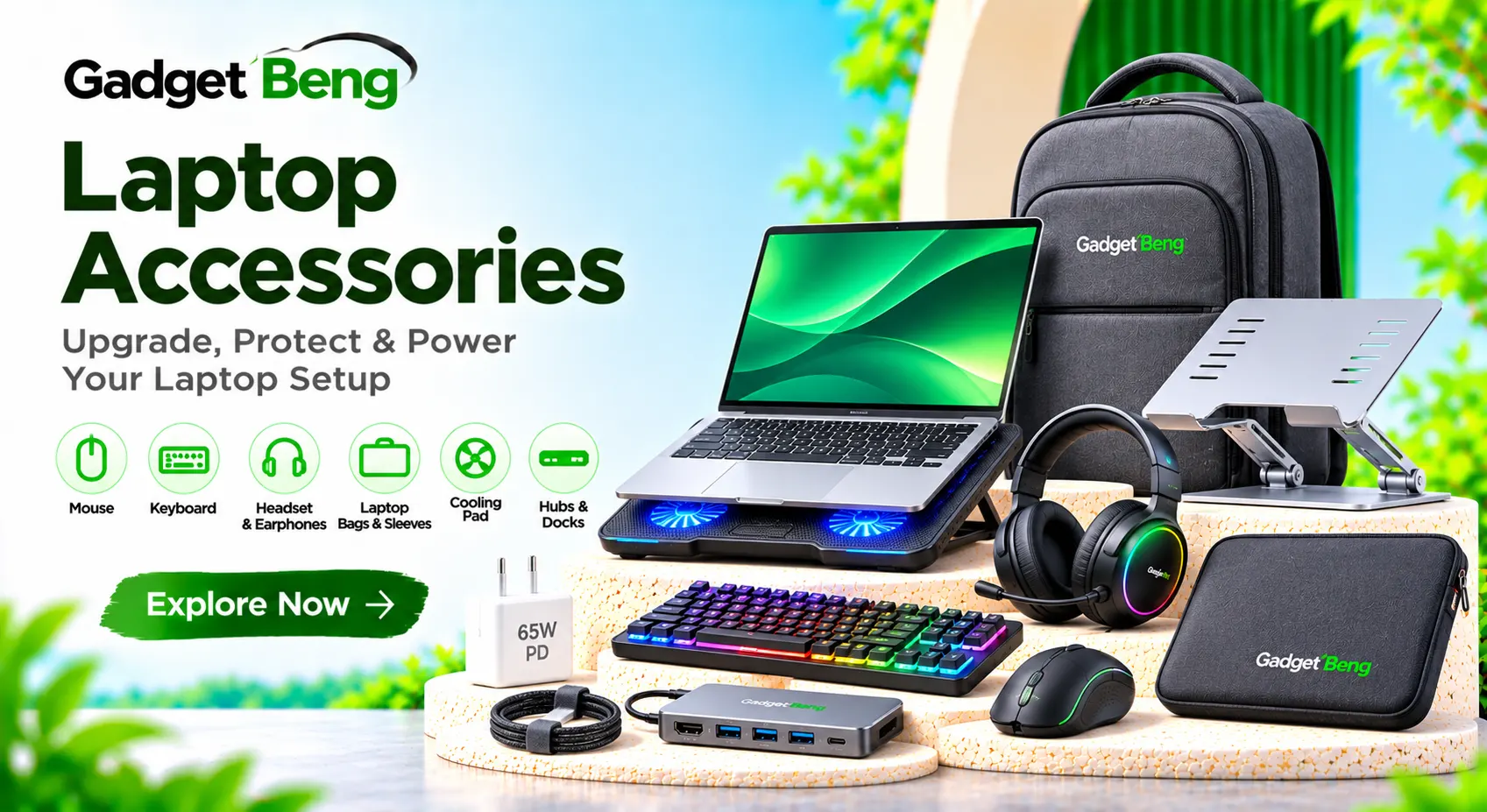
The right laptop accessories can improve productivity, comfort, portability, connectivity, and everyday performance. Whether you use a laptop for office work, study, gaming, content creation, or business, suitable accessories can make your setup more convenient and efficient.
At GadgetBeng, explore different types of laptop bags, sleeves, cooling pads, laptop stands, keyboards, wireless mouse, USB hubs, docking stations, chargers, cables, webcams, headsets, and other laptop accessories for work, study, gaming, and everyday use.
Laptop Accessories Price in Bangladesh
Laptop Accessories Price in BD
The laptop accessories price in Bangladesh depends on product type, brand, specifications, build quality, connectivity, and features. Basic laptop bags, mouse, and stands are generally more affordable, while advanced docking stations, mechanical keyboards, gaming headsets, and premium cooling solutions may cost more.
Before purchasing, compare laptop compatibility, connectivity options, dimensions, charging requirements, material quality, supported features, and warranty information.
Laptop Accessories Price List BD 2026
| Accessory Category | Approximate Price |
|---|---|
| Laptop Mouse | ৳250 – ৳2,000 |
| Wireless Mouse | ৳400 – ৳3,500 |
| Laptop Keyboard | ৳500 – ৳4,000 |
| Mechanical Keyboard | ৳1,500 – ৳8,000+ |
| Laptop Bag | ৳500 – ৳3,500 |
| Laptop Sleeve | ৳300 – ৳2,000 |
| Laptop Cooling Pad | ৳600 – ৳3,500 |
| Laptop Stand | ৳500 – ৳4,000 |
| USB Hub | ৳400 – ৳3,000 |
| USB-C Docking Station | ৳2,000 – ৳12,000+ |
| Laptop Headset | ৳500 – ৳5,000 |
| Webcam | ৳800 – ৳6,000+ |
Note: These are indicative market reference ranges for 2026, not confirmed GadgetBeng selling prices. Actual prices vary by brand, model, specifications, and availability.
Different Types of Laptop Accessories
Explore Different Laptop Accessories Categories
Laptop accessories are available in different categories to improve productivity, portability, connectivity, comfort, and entertainment. Each accessory serves a different purpose depending on your laptop and usage requirements.
Laptop Bags & Sleeves
Laptop bags and sleeves help protect laptops during travel, commuting, and everyday carrying. Options include backpacks, messenger bags, briefcases, and padded sleeves in different sizes and materials.
Laptop Mouse
Wired and wireless mice provide convenient navigation for office work, study, creative applications, and gaming. Different models offer ergonomic shapes, adjustable sensitivity, programmable buttons, and rechargeable batteries.
Laptop Keyboards
External keyboards offer comfortable typing and additional functionality. Available options include compact keyboards, full-size keyboards, Bluetooth keyboards, and mechanical keyboards.
Cooling Pads & Laptop Stands
Cooling pads use fans to improve airflow around compatible laptops, while laptop stands raise the device for a more comfortable viewing position and workspace arrangement.
USB Hubs & Docking Stations
USB hubs and docking stations expand laptop connectivity with additional USB ports, HDMI, Ethernet, card readers, and other connections depending on the model.
Laptop Chargers & Adapters
Laptop chargers and power adapters provide power to compatible devices. Check connector type, voltage, amperage, wattage, and manufacturer requirements before purchasing.
Headsets & Headphones
Headsets and headphones support online meetings, gaming, music, video calls, and entertainment. Options include wired headsets, wireless headphones, and microphone-equipped gaming headsets.
Webcams & Microphones
External webcams and microphones can improve video conferencing, online classes, streaming, and content creation when compatible with your computer.
External Storage & Card Readers
External SSDs, storage enclosures, flash drives, and memory card readers help expand storage and transfer files between compatible devices.
Popular Laptop Accessories
- Wireless and wired mouse
- Mechanical and Bluetooth keyboards
- Laptop backpacks and shoulder bags
- Padded laptop sleeves
- Laptop cooling pads
- Adjustable laptop stands
- USB-C hubs and docking stations
- HDMI and Ethernet adapters
- Laptop chargers and power adapters
- Headsets and headphones
- External webcams and microphones
- External SSDs and card readers
- Mouse pads and desk mats
- Laptop cleaning kits
Laptop Mouse, Wireless Mouse & Keyboards
Improve Laptop Productivity with Mouse & Keyboard
External keyboards and mice can make laptop usage more comfortable, especially for long working sessions, office setups, gaming, and creative tasks.
Wired Mouse
Wired mice connect directly through USB and provide a simple plug-and-play experience on compatible computers. They do not require a separate mouse battery.
Wireless Mouse
Wireless mice connect through a USB receiver or supported wireless technology. They reduce cable clutter and are convenient for office, study, and travel setups.
Bluetooth Mouse
Bluetooth mice connect to compatible laptops without requiring a dedicated USB receiver. Check Bluetooth compatibility, battery life, and supported operating systems.
Gaming Mouse
Gaming mice may include adjustable DPI, programmable buttons, customizable lighting, and specialized sensor features. Choose according to grip style, game type, and comfort.
Mechanical Keyboards
Mechanical keyboards use individual mechanical switches for key input. Switch types, layouts, actuation characteristics, and sound profiles vary by model.
Compact and Wireless Keyboards
Compact keyboards save desk space and are convenient for portable setups. Wireless options help keep workspaces clean and flexible.
Mouse & Keyboard Comparison
| Accessory Type | Main Benefit | Important Feature |
|---|---|---|
| Wired Mouse | Simple connection | Sensor and cable quality |
| Wireless Mouse | Cable-free use | Battery and receiver |
| Gaming Mouse | Gaming control | DPI and programmable buttons |
| Mechanical Keyboard | Tactile typing | Switch type and layout |
| Bluetooth Keyboard | Wireless productivity | Pairing and battery life |
Laptop Bags, Sleeves, Cooling Pads & Laptop Stands
Protection, Portability & Comfortable Laptop Use
Laptop bags, sleeves, stands, and cooling pads are useful accessories for everyday laptop protection, travel, desk organization, and comfortable device placement.
Laptop Backpacks
Laptop backpacks provide storage for laptops and everyday accessories. Look for padded compartments, comfortable shoulder straps, durable zippers, and suitable dimensions.
Laptop Shoulder Bags
Shoulder bags offer convenient carrying for office, business, and commuting. Compare padding, storage compartments, strap comfort, and laptop size support.
Laptop Sleeves
Laptop sleeves provide a lightweight protective layer against everyday scratches and surface contact. Check the internal dimensions and padding before buying.
Laptop Cooling Pads
Cooling pads use fans to improve airflow around compatible laptops. Fan size, speed, noise, power connection, and laptop placement are important considerations.
Adjustable Laptop Stands
Laptop stands raise the screen to a more comfortable viewing height. Adjustable designs allow users to change the viewing angle and position according to their workspace.
Foldable Laptop Stands
Foldable stands are compact and convenient for mobile workstations. Check stability, supported laptop size, material, and weight capacity.
Laptop Desk Mats
Desk mats provide a smooth surface for a mouse and keyboard while helping organize the workspace. Compare dimensions, surface material, and grip.
Laptop Protection & Cooling Accessories Comparison
| Accessory | Main Purpose |
|---|---|
| Laptop Backpack | Carrying and storage |
| Laptop Sleeve | Lightweight device protection |
| Cooling Pad | Improved airflow |
| Adjustable Stand | Screen positioning and ergonomics |
| Desk Mat | Workspace organization |
USB Hubs, Docking Stations, HDMI Adapters & Connectivity
Expand Laptop Connectivity with Hubs & Adapters
Modern laptops may have limited built-in ports. USB hubs, docking stations, and adapters provide additional connectivity for external displays, storage devices, networking, and peripherals.
USB-A Hubs
USB-A hubs expand one USB connection into multiple ports for compatible keyboards, mice, flash drives, and other peripherals.
USB-C Hubs
USB-C hubs provide additional connections such as USB-A, HDMI, card readers, Ethernet, and Power Delivery pass-through, depending on the product.
Laptop Docking Stations
Docking stations expand laptop connectivity through a compatible host connection. They may support multiple displays, USB peripherals, networking, audio, and charging.
HDMI Adapters
HDMI adapters connect compatible laptops to monitors, televisions, and projectors. Supported resolution and refresh rate depend on the adapter and host device.
Ethernet Adapters
USB-to-Ethernet adapters provide wired network connectivity to compatible laptops. Check supported Ethernet speed and connection type.
Card Readers
Memory card readers allow compatible laptops to access SD and microSD cards for transferring photos, videos, and other files.
Thunderbolt Docks
Thunderbolt docks provide high-bandwidth connectivity for compatible computers. They can support external displays, fast storage, peripherals, and power delivery depending on the model.
Laptop Connectivity Features Comparison
| Accessory | Typical Use |
|---|---|
| USB Hub | Expand USB ports |
| USB-C Dock | Multiple connectivity options |
| HDMI Adapter | External display connection |
| Ethernet Adapter | Wired internet connection |
| Card Reader | Memory card access |
Laptop Headsets, Webcams, Microphones & Audio Accessories
Audio and Video Accessories for Laptop Users
Audio and video accessories improve communication, online meetings, gaming, streaming, and entertainment. Choose products according to your connection type, microphone requirements, and intended usage.
Wired Headsets
Wired headsets connect through compatible audio jacks or USB ports. They are useful for meetings, gaming, online classes, and everyday listening.
Wireless Headphones
Wireless headphones offer cable-free listening through supported wireless connections. Compare battery life, microphone quality, comfort, and device compatibility.
Gaming Headsets
Gaming headsets may include dedicated microphones, comfortable ear cushions, surround sound features, and gaming-focused controls. Check compatibility with your laptop and gaming platform.
External Webcams
External webcams can provide additional video options for online meetings, remote work, classes, and streaming. Compare resolution, frame rate, autofocus, microphone, and mounting options.
USB Microphones
USB microphones can improve voice capture for recording, meetings, streaming, and content creation. Consider pickup pattern, connection type, desk stand, and monitoring features.
Laptop Speakers
External speakers provide an alternative audio setup for music, movies, meetings, and entertainment. Options include compact USB speakers and wireless models.
Audio & Video Accessories Comparison
| Accessory | Best Use |
|---|---|
| Wired Headset | Meetings and everyday communication |
| Wireless Headphones | Wireless listening |
| Gaming Headset | Gaming and voice chat |
| Webcam | Video calls and streaming |
| USB Microphone | Voice recording and content creation |
Laptop Accessories Buying Guide & Important Features
How to Choose the Best Laptop Accessories
Choosing suitable laptop accessories requires checking your laptop’s size, ports, operating system, power requirements, and intended use. The right combination can improve comfort, productivity, and device protection.
1. Check Laptop Compatibility
Confirm your laptop model, operating system, screen size, available ports, and supported connection standards before purchasing accessories.
2. Choose the Right Laptop Bag Size
Check the laptop’s actual dimensions rather than relying only on screen size. Consider padding, compartments, material, and carrying comfort.
3. Compare Mouse Features
Review sensor performance, DPI, connection type, ergonomics, battery life, button layout, and software compatibility.
4. Check Keyboard Layout
Compare keyboard size, layout, switch type, connection method, key feel, backlighting, and operating system support.
5. Review Cooling Pad Design
Check laptop size support, fan design, airflow, noise, adjustable height, USB power requirements, and stability.
6. Verify Charger Specifications
Check voltage, amperage, wattage, connector size, polarity where relevant, and manufacturer compatibility. USB-C charging requires suitable Power Delivery support when applicable.
7. Check Hub and Docking Features
Compare USB standards, HDMI output, Ethernet speed, card readers, charging pass-through, and supported display resolutions.
8. Consider Comfort and Ergonomics
Laptop stands, external keyboards, and mice can help create a more comfortable workstation. Choose adjustable products that suit your desk and working position.
9. Review Build Quality
Check materials, hinges, cable quality, connector durability, padding, and long-term usability.
10. Check Warranty and After-Sales Support
Review warranty coverage, product authenticity, return conditions, and service availability before buying.
Laptop Accessories Buying Checklist
- Confirm your laptop model and screen size.
- Check accessory compatibility.
- Choose the correct bag or sleeve dimensions.
- Compare mouse connectivity and sensor features.
- Review keyboard layout and switch type.
- Check cooling pad size and airflow design.
- Verify charger voltage and wattage.
- Check USB hub and docking station ports.
- Review webcam and headset connectivity.
- Consider ergonomic design and portability.
- Check material quality and durability.
- Review warranty and after-sales support.
Popular Laptop Accessories Brands
Popular Brands for Laptop Accessories
Different brands offer laptop accessories across keyboards, mice, bags, cooling pads, hubs, headsets, chargers, and connectivity products. Features and compatibility vary by model.
Logitech
Logitech offers computer mice, keyboards, webcams, headsets, and productivity accessories for different laptop setups.
UGREEN
UGREEN offers USB hubs, docking stations, cables, adapters, card readers, and other laptop connectivity accessories.
Baseus
Baseus offers laptop hubs, chargers, cables, adapters, stands, and other technology accessories.
Anker
Anker offers USB-C hubs, docking stations, charging accessories, cables, and connectivity solutions.
Rapoo
Rapoo offers wireless keyboards, mice, and computer peripherals for office and everyday use.
A4Tech
A4Tech offers keyboards, mice, gaming peripherals, and other computer accessories.
Havit
Havit offers gaming headsets, keyboards, mice, laptop cooling pads, and computer accessories.
Redragon
Redragon offers gaming keyboards, mice, headsets, and other gaming-focused computer peripherals.
WiWU
WiWU offers laptop bags, sleeves, hubs, stands, and mobile productivity accessories.
ORICO
ORICO offers USB hubs, storage enclosures, docking products, and computer connectivity accessories.
Laptop Accessories for Different Requirements
| Requirement | Suitable Accessories |
|---|---|
| Office Productivity | Wireless Mouse, Keyboard, Laptop Stand |
| Gaming | Gaming Mouse, Mechanical Keyboard, Headset |
| Travel | Laptop Bag, Sleeve, Compact Hub |
| Connectivity | USB-C Hub, Docking Station, Adapters |
| Video Meetings | Webcam, Headset, Microphone |
Laptop Accessories Usage, Setup & Maintenance Tips
Everyday Uses of Laptop Accessories
Laptop accessories support everyday computing activities, including office work, online learning, gaming, video conferencing, content creation, file transfer, and travel.
Office and Study
External keyboards, mice, stands, and docking stations help create organized workspaces for typing, browsing, research, and online classes.
Gaming and Entertainment
Gaming mice, keyboards, headsets, and cooling accessories support gaming and multimedia setups. Check device compatibility and performance requirements.
Travel and Remote Work
Laptop bags, sleeves, compact hubs, and portable accessories make it easier to carry and connect your laptop when working away from your main desk.
Meetings and Content Creation
External webcams, microphones, headsets, and storage accessories can support video calls, recording, streaming, and file management.
Maintenance & Usage Tips
- Use accessories that match your laptop specifications.
- Keep keyboards and mouse surfaces clean.
- Store chargers and cables carefully.
- Avoid bending or pulling connectors sharply.
- Keep cooling pad air vents unobstructed.
- Use a stable surface for laptop stands.
- Clean laptop bags and sleeves periodically.
- Disconnect USB accessories safely when required.
- Use suitable power adapters and cables.
- Keep liquids away from electronic accessories.
- Store portable accessories in protective compartments.
- Check drivers and software where applicable.
- Avoid exceeding supported power limits on hubs.
- Follow manufacturer cleaning and maintenance instructions.
Why Explore Laptop Accessories at GadgetBeng & Frequently Asked Questions
Explore Laptop Accessories at GadgetBeng
At GadgetBeng, explore useful accessories designed to improve your laptop experience at home, in the office, at school, or while travelling. Whether you need a laptop bag, wireless mouse, keyboard, cooling pad, USB-C hub, headset, or docking station, compare available products according to your requirements.
Discover different laptop accessories, including laptop bags, sleeves, cooling pads, laptop stands, wireless mouse, mechanical keyboards, USB hubs, docking stations, chargers, webcams, headsets, and storage accessories.
Compare product specifications, connectivity, dimensions, materials, compatibility, and warranty information to find suitable accessories for your setup.
Visit GadgetBeng.com to explore laptop accessories and useful technology products in Bangladesh.
Frequently Asked Questions About Laptop Accessories
1. What are laptop accessories?
Laptop accessories are additional products that improve laptop functionality, comfort, protection, connectivity, and productivity. Examples include bags, mouse, keyboards, cooling pads, stands, hubs, and headsets.
2. What is the price of laptop accessories in Bangladesh?
Prices vary by product category, brand, specifications, and quality. Basic accessories may cost less, while premium docking stations, mechanical keyboards, and gaming peripherals generally cost more.
3. Which accessories are essential for a laptop?
A suitable laptop bag, mouse, keyboard, charger, and protective sleeve are useful for many users. A cooling pad, USB hub, headset, or stand may be helpful depending on your needs.
4. Which laptop bag size should I buy?
Choose a bag according to your laptop’s actual dimensions. Check the internal compartment size, padding, and available space for accessories.
5. What is the difference between a laptop bag and a sleeve?
A laptop bag generally includes carrying straps and extra compartments, while a sleeve is a compact protective cover designed to hold the laptop itself.
6. Is a wireless mouse better than a wired mouse?
Wireless mice offer cable-free convenience, while wired mice provide a direct connection without separate mouse battery charging. The better option depends on personal preference and usage.
7. What is a laptop cooling pad used for?
A cooling pad uses fans to improve airflow around a laptop. Its effectiveness depends on laptop design, ventilation, workload, and the cooling pad itself.
8. Does every laptop need a cooling pad?
No. Cooling requirements vary by laptop design and workload. A cooling pad may be useful for some laptops, particularly during demanding tasks.
9. What is the benefit of a laptop stand?
A laptop stand raises the screen and can help create a more comfortable desk setup. An external keyboard and mouse can be used alongside it.
10. What is a USB-C hub?
A USB-C hub expands a compatible USB-C connection into additional ports such as USB-A, HDMI, card readers, and other connections depending on the model.
11. Can a USB-C hub connect a laptop to a monitor?
Yes, if the hub supports video output and the laptop’s USB-C port supports a compatible display technology. Check resolution and refresh rate specifications.
12. How do I choose the right laptop charger?
Check the laptop manufacturer’s recommended voltage, amperage, wattage, connector type, and charging standard. Use a compatible power adapter.
13. Can I use a USB-C charger for every laptop?
No. USB-C charging depends on laptop support, charger power output, cable capability, and supported charging standards.
14. What is a docking station?
A docking station expands laptop connectivity by providing additional ports for monitors, USB peripherals, Ethernet, storage, and sometimes power delivery.
15. Which keyboard is best for laptop users?
The right keyboard depends on typing preference, layout, connectivity, size, switch type, and intended use. Office users may prefer compact or full-size keyboards, while gamers may prefer mechanical options.
16. Can I connect a Bluetooth headset to a laptop?
Yes, laptops with compatible Bluetooth support can connect to Bluetooth headsets and headphones.
17. Do external webcams work with laptops?
Most USB webcams work with compatible laptops, subject to operating system, software, and connection requirements.
18. Which accessories are useful for gaming laptops?
Gaming mouse, mechanical keyboard, headset, mouse pad, laptop stand, and suitable cooling accessories can support a gaming setup.
19. How can I protect my laptop while travelling?
Use a well-padded laptop bag or sleeve, keep accessories organized, and avoid placing heavy objects on the laptop during transport.
20. Where can I buy laptop accessories in Bangladesh?
You can explore laptop bags, mouse, keyboards, cooling pads, USB hubs, docking stations, headsets, and other accessories at GadgetBeng.com. Check product availability, specifications, compatibility, pricing, and warranty information before ordering.
Explore laptop bags, keyboards, mouse, cooling pads, laptop stands, USB hubs, docking stations, and computer accessories at GadgetBeng.com.


